 Liverty AI
AI Live Photo · iPhone
Make your photos
feel alive.
Liverty AI adds about three seconds of subtle, natural motion to a photo you already have — and saves it as a real Apple Live Photo. Same image. Different feeling.
Requires iPhone. Creating a Live Photo needs a subscription.
Try it here
Pick a motion. Watch it happen.
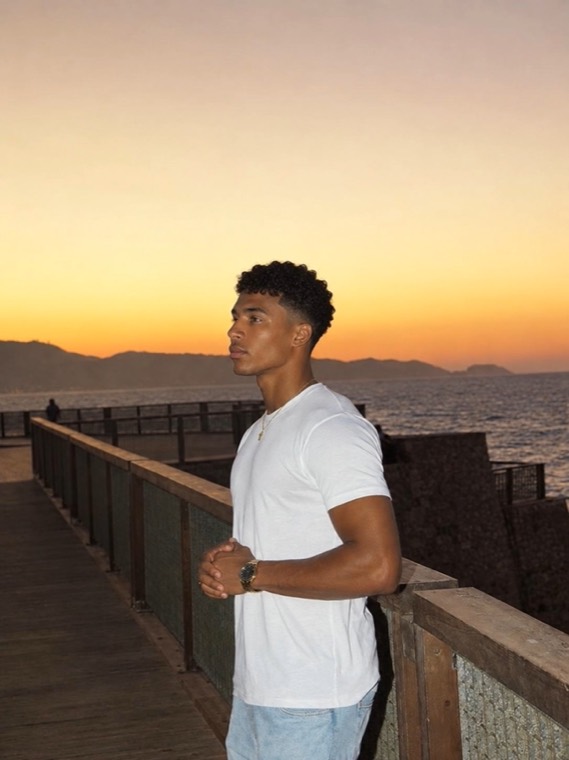
The three presets in the app, on three photographs made with it. Choose one and the still becomes a Live Photo, exactly as it does on your phone.
Choose the motion
The same three presets you get in the app.
These are pre-generated examples, played back from this page — selecting a preset here does not run a new AI generation.
How it works
Three steps. No editing.
Choose your photo
Pick any photo from your library — a portrait, a selfie, an image you generated somewhere else. Liverty AI only ever sees the one you pick.
Pick a motion preset
Three presets, each doing one thing well. No prompt to write, no sliders, no parameters to learn.
Save your Live Photo
You get a real Apple Live Photo, saved to your own Photos library — press and hold it anywhere iOS plays one.
For AI creators
Keep the image. Change the feeling.
A generated portrait can be flawless and still read as flat — nothing in it ever moves. Liverty AI adds the smallest honest amount of motion, so the image holds together and simply feels less still.
- Works on images you made elsewhere — it starts from your photo, not a prompt.
- The motion is deliberately small: a breath, a breeze, a shift of weight.
- The result is a Live Photo, so it plays where iOS plays Live Photos.
The presets
Three kinds of motion.
Each one does a single thing. Hover or tap to play.
Questions
Before you download.
What exactly do I get?
A real Apple Live Photo: the still you started from, plus about three seconds of motion, saved into your own Photos library. Press and hold it the way you would any Live Photo.
Does it change my photo?
The motion is generated from your image and stays close to it. It is an AI model, so results vary between photos and we cannot promise a particular outcome for a particular image — which is why there is a demo here before you pay anything.
Is it free?
The app is free to download and the demo inside it costs nothing. Creating your own Live Photo needs a subscription. Each one costs 10 credits: the weekly plan includes 50 credits, monthly 200, yearly 1000.
Which devices?
iPhone. Live Photos are an Apple format, so there is no Android or web version.
What happens to my photos?
The photo you pick is uploaded and sent to our AI provider to generate the motion, then stored under your account so your creations stay available. We do not use them to train models and we do not sell them. Deleting your account removes them. Read the privacy policy.
How do I cancel?
In Settings › your Apple ID › Subscriptions, like any App Store subscription. Cancelling stops the next renewal; you keep access until the period you paid for ends.